 DayPilot
The JavaScript Gantt chart lets users edit dates, durations, project structure and dependencies directly in the plan. Drag feedback shows the proposed change before a drop, while application handlers control the rules and saving.
Task Moving
Drag a task bar along the timeline to change its start and end while preserving duration. A moving shadow previews the position, and date indicators can show the proposed range. Moving can be disabled globally or for individual tasks when project rules make them read-only.
Task Resizing
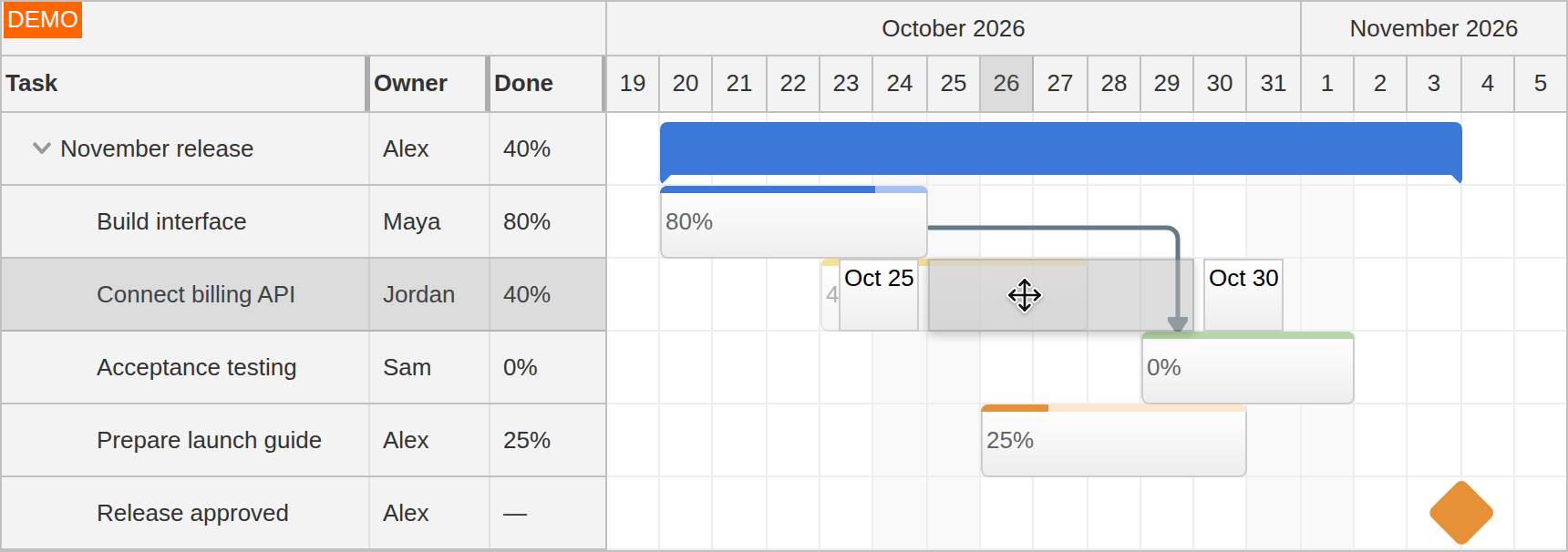
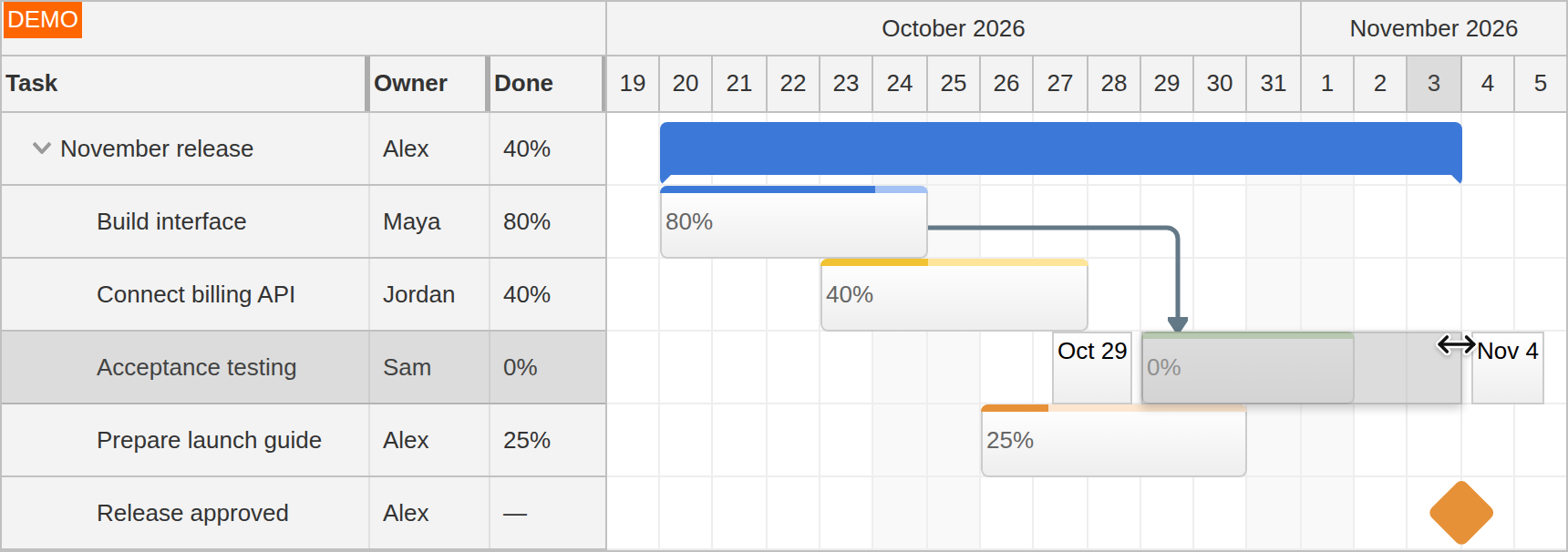
Drag either edge of a task to change its duration. The start or finish follows the dragged edge, with visual feedback during the change. This supports adjustments such as extending a test period or shortening an implementation task without opening an editor. Milestones represent a single time point and cannot be resized.
Group and Multiple-Task Moving
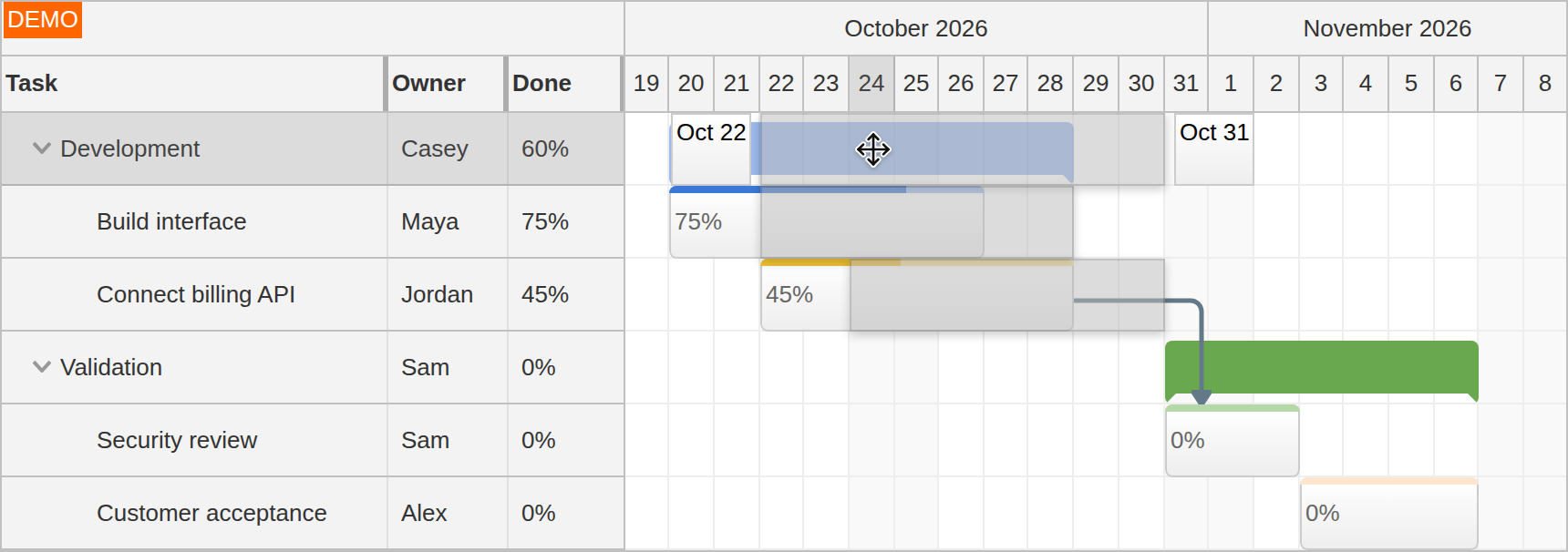
Move a group with its children when an entire phase shifts. Child tasks move by the same offset, preserving their relative dates. Group moving also works with Auto groups, whose displayed range is calculated from the children.
For work across several phases, users can select tasks with Ctrl+click and move the selection together. This changes the chosen tasks as a set without reorganizing the hierarchy. The multiple-task selection demo shows selection and movement in the chart.
Row Moving and Hierarchy Changes
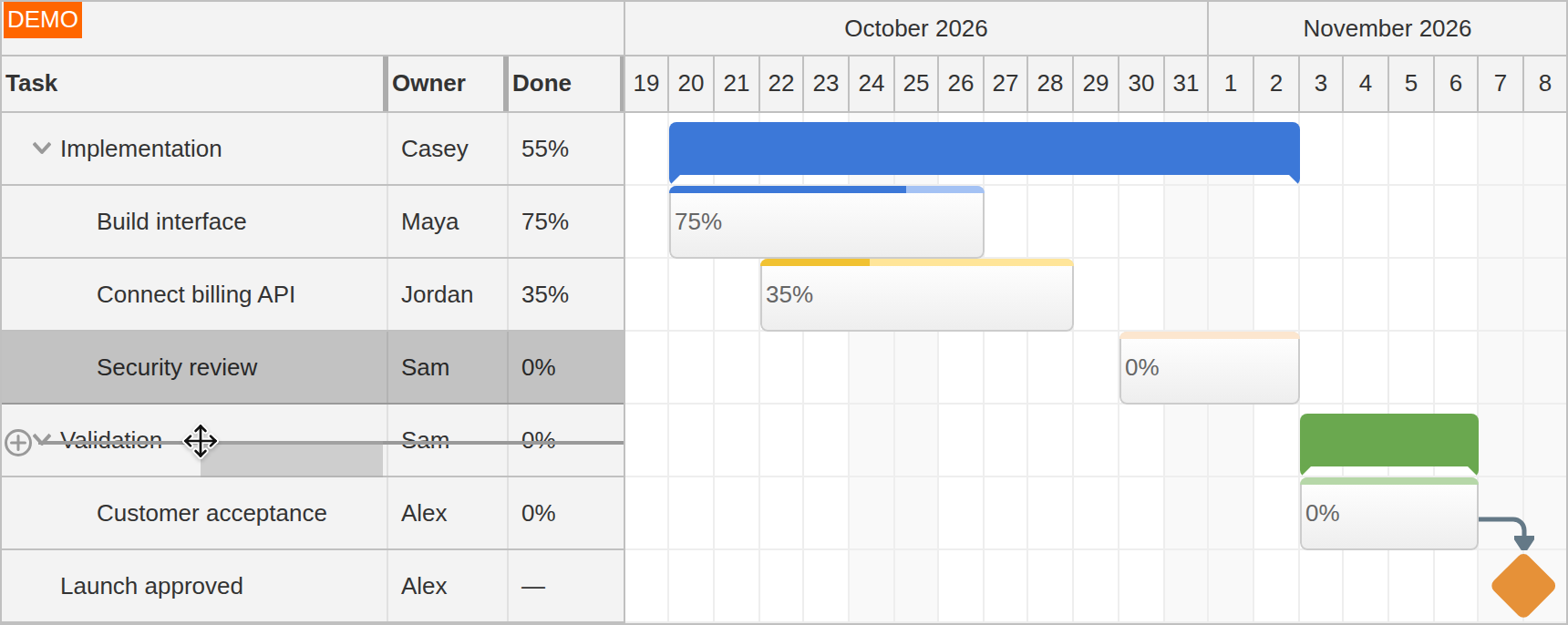
Drag a row header to reorder tasks or move work into another phase. An insertion indicator shows the intended position in the task tree. Moving a row changes project structure; moving its task bar changes the scheduled dates.
External drag and drop brings tasks from an application list or table into the chart and lets users drag tasks back to a custom target. Tasks can also move between two Gantt charts by dragging their rows. Application handlers connect these transfers to the project data.
Dependency Creation
Connection points appear when the user hovers over a task. Dragging between task endpoints creates a dependency; the chosen start or finish endpoints determine the relationship type. The example connects the finish of the billing API task to the start of acceptance testing.
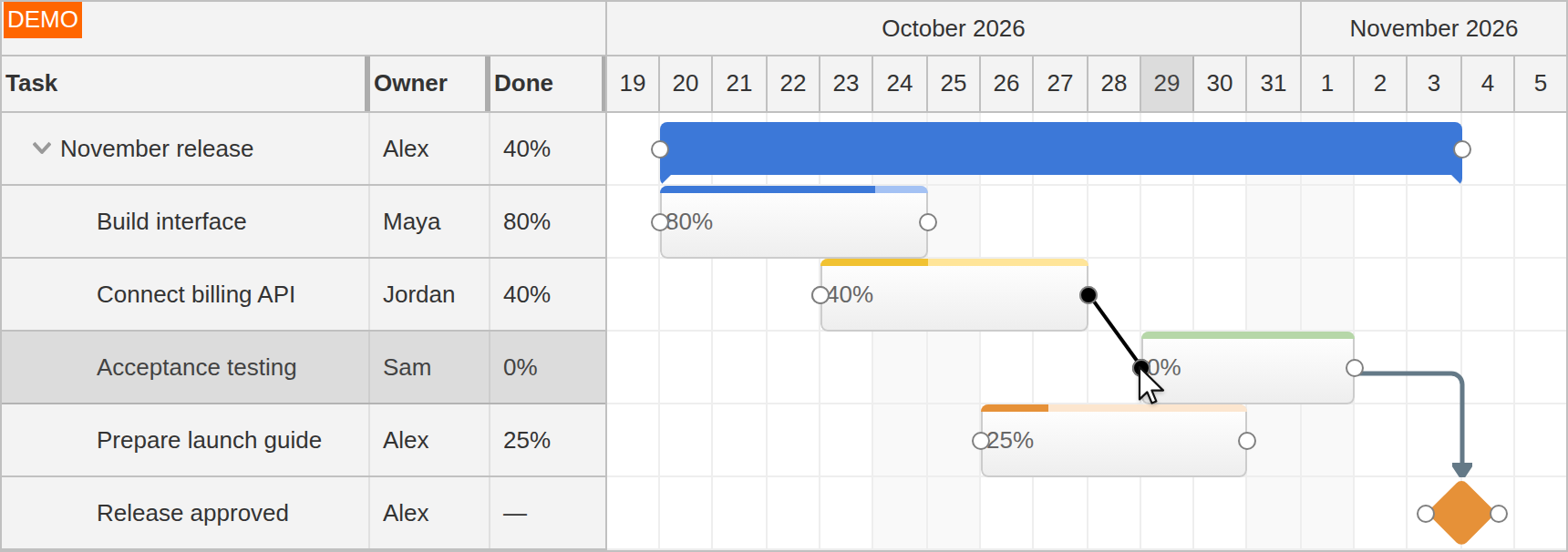
Links describe relationships. They do not automatically reschedule connected tasks when dates change; that scheduling policy belongs to the application.
Feedback, Validation and Application Integration
Drag behavior can reflect the rules of your project. During movement, onTaskMoving exposes the proposed position so the application can allow or reject it, adjust the shadow and customize date indicators. A planner can see a locked-date restriction while dragging rather than discovering it only after the drop.
Hierarchy and relationship changes have their own hooks, including onRowMoving and onLinkCreate. These let applications restrict where a task belongs or which dependencies can be created.
Before and after callbacks connect edits to application validation and persistence. The default client-side update changes the chart; your application saves the project and handles server responses. The project-management overview introduces the groups, progress, milestones and relationships behind these interactions.