 DayPilot
The JavaScript Gantt chart brings project structure, dates, progress and dependencies into one view. Groups provide an overview of the work, while individual tasks, milestones and the task table show the detail behind the plan.
Task Groups and Project Hierarchies
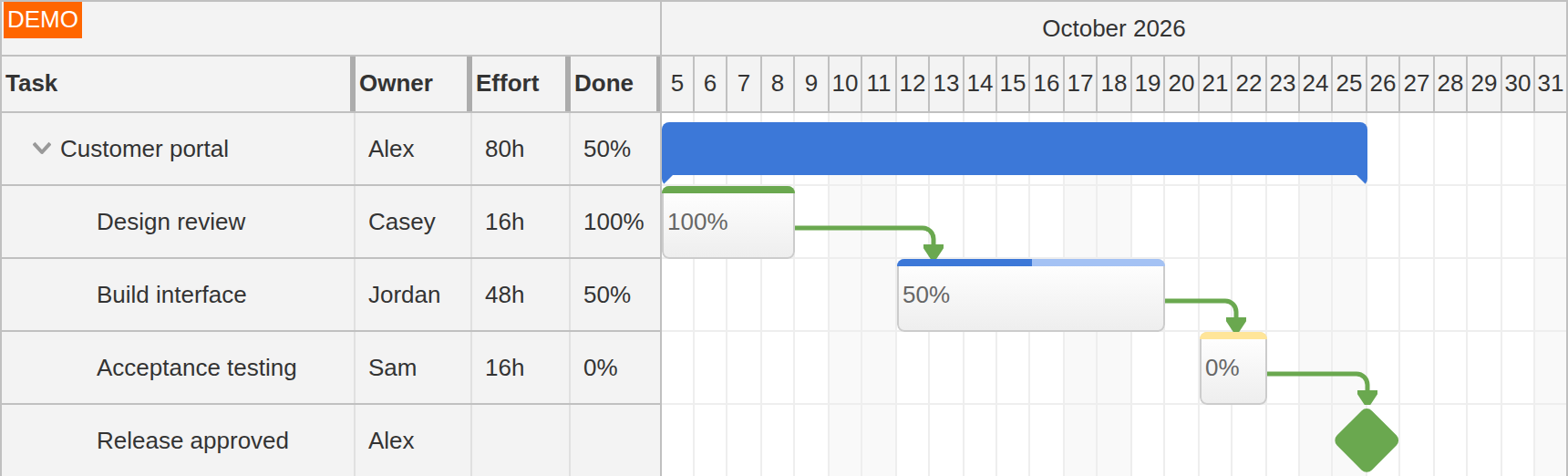
A task hierarchy organizes a project into phases and subtasks. Users can expand the part they are planning and collapse other branches, keeping a large project readable without losing its structure. Tasks with children become groups; regular tasks, groups and milestones can appear together in the same hierarchy.
Auto group mode calculates the group's date range from its children, so the summary follows changes to the detailed plan. Manual mode uses the group's supplied start and end independently. This can represent a contractual phase window alongside the tasks scheduled within it. The task-type documentation describes the behavior of each type.
Milestones and Key Dates
Milestones mark a specific time rather than a duration. Use them for approvals, handovers, delivery dates or release decisions. They remain visible alongside the work leading up to them and can participate in dependency links.
A milestone can be moved to another date, but it has no duration to resize. Its date comes from the project data; marking an approval in the chart does not itself complete the preceding work.
Progress on Tasks and Groups
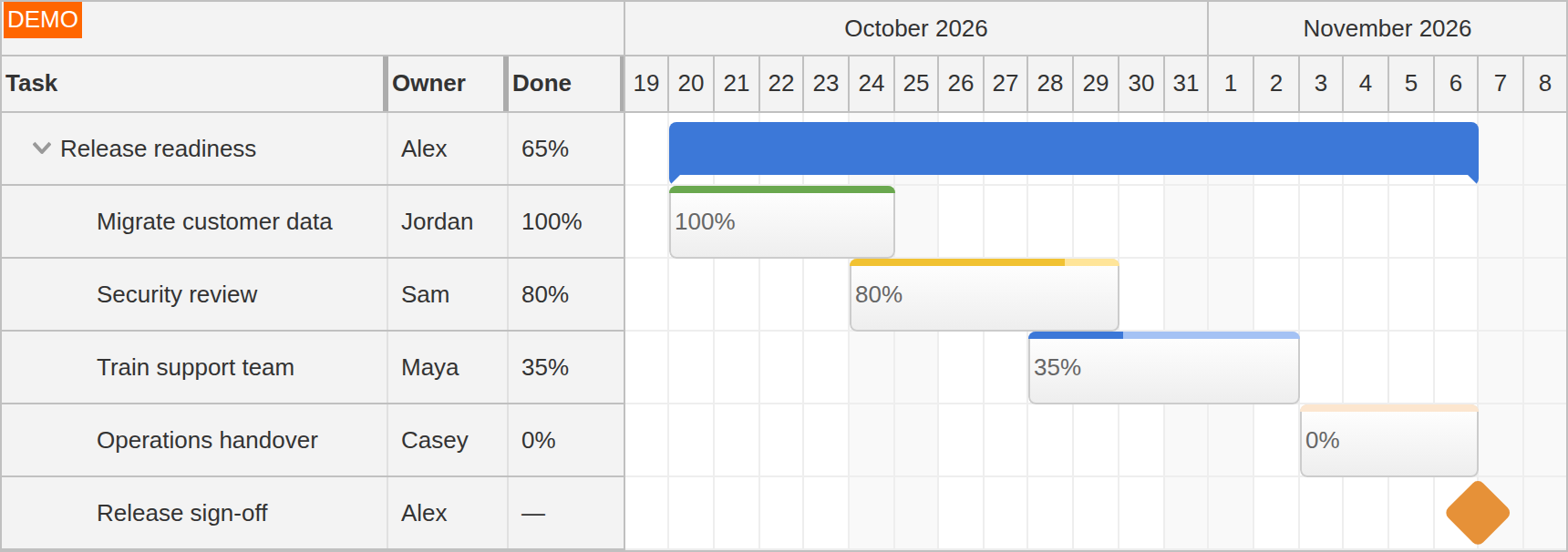
Completion bars and percentage values show progress while preserving the full scheduled duration of each task. Both regular tasks and groups can display completion, so users can compare individual work with the overall phase.
Your application supplies these values from its project data. Group completion can follow planned effort, completed deliverables or another reporting rule; it does not have to be a simple average of the child percentages. Auto group mode calculates the date span, while the application remains responsible for its progress calculation.
Task versions display additional read-only bars alongside the current task. They can show baseline dates supplied by the application, making changes in timing visible without replacing the current schedule. Users can move and resize the main task while its baseline bars preserve the comparison.
Task Information beside the Timeline
Task-table columns keep owners, dates, duration, status and other project fields beside the bars. Planners can see who is responsible for a task or compare its reported state without opening each item. Custom row and task content can bring application-specific labels and actions into the same plan.
Task Dependencies
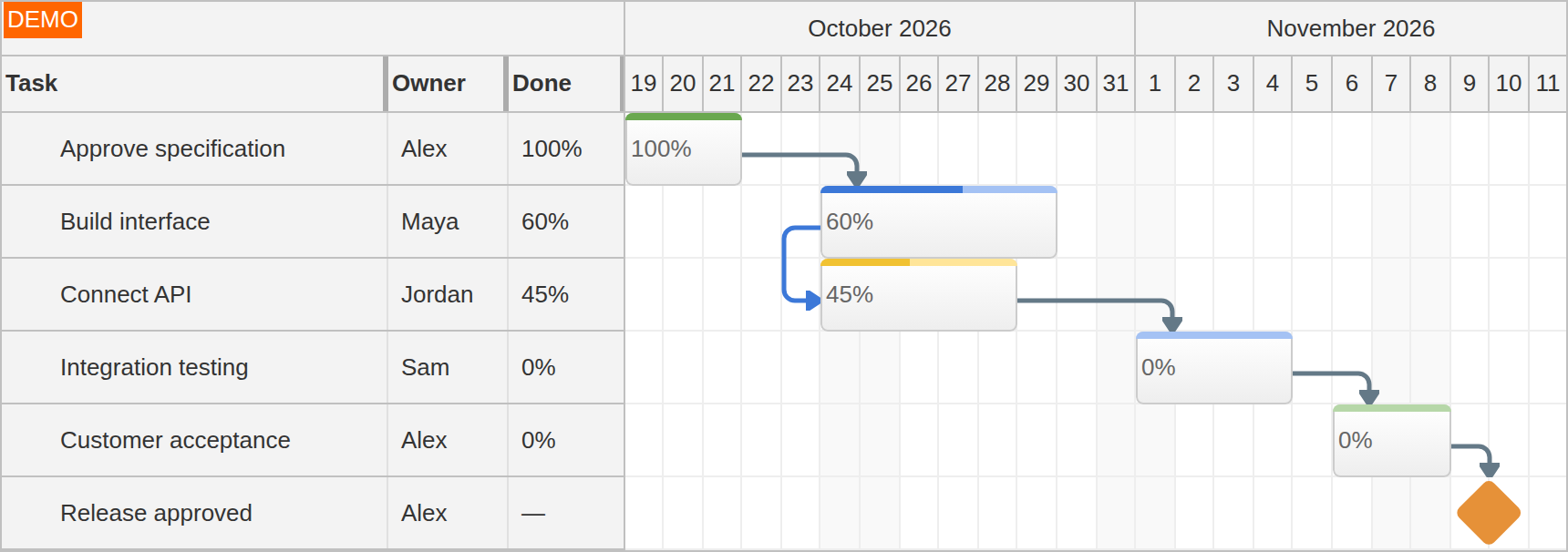
Dependency links connect the relevant start or finish points of two tasks. All four common relationship types are supported:
- Finish-to-Start: connect the finish of a review to the start of implementation.
- Start-to-Start: connect work intended to begin together.
- Finish-to-Finish: connect tasks whose completion dates are related.
- Start-to-Finish: connect the start of one task to the finish of another, such as a handover between activities.
Load links with the project data or let users create them by dragging between tasks. The chart shows the relationships; your application decides whether a date change is allowed and whether related tasks should be rescheduled. Adding a link does not automatically move either task.
The drag-and-drop overview covers editing dates, hierarchy and relationships. Explore the interactive Gantt demo to try the planning features together.