 DayPilot
The JavaScript Scheduler can use its embedded default appearance, a supplied CSS theme, or a theme designed for your application. Styling covers the timeline, resource headers, events, selection, and drag feedback, with additional control over data-specific states and custom content.
Embedded Default Theme
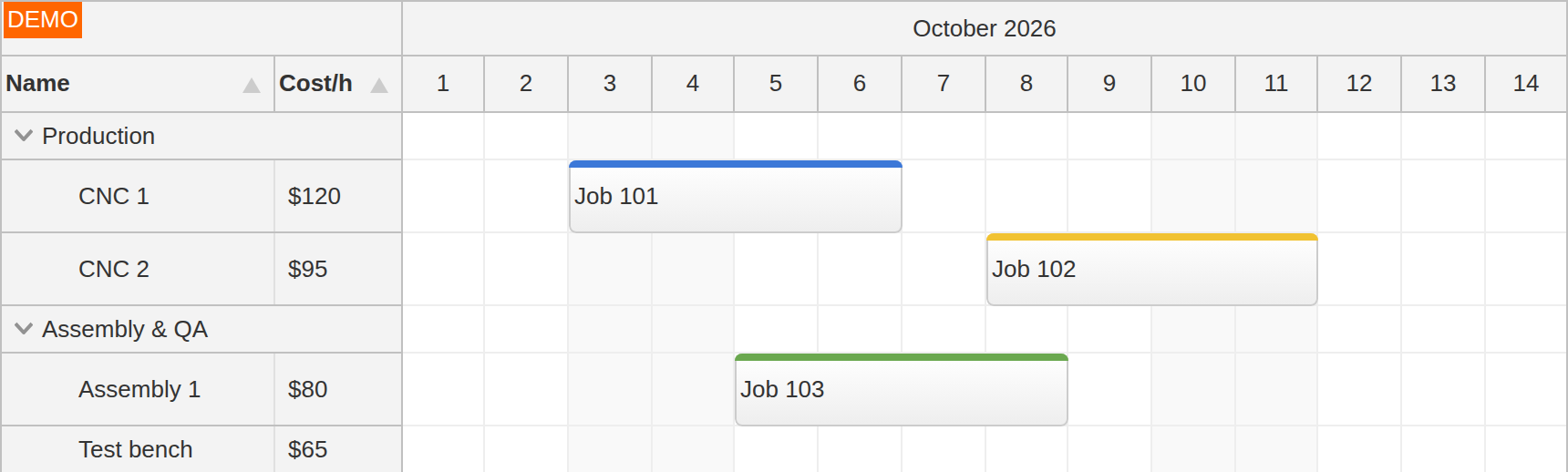
The default Scheduler theme is included in the library and needs no separate CSS file. It supplies a complete appearance for a first board, including headers, grid cells, event boxes, and interaction states.
The CSS theme system keeps appearance separate from resource and event data. A board can retain its configuration and application callbacks while its theme changes.
Supplied CSS Themes
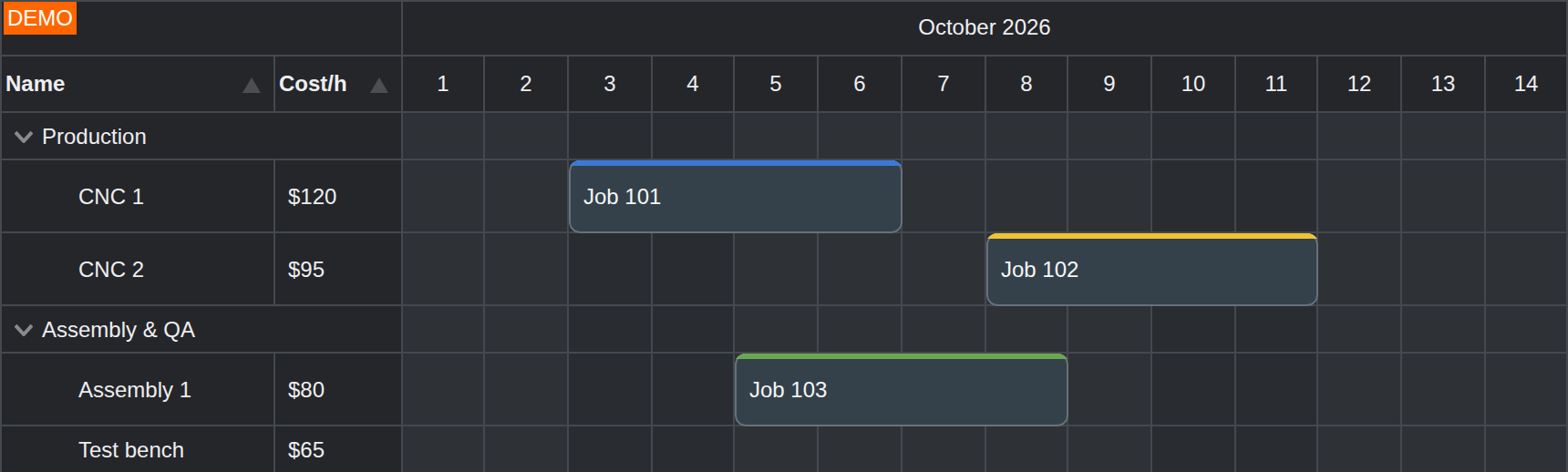
The DayPilot Pro for JavaScript download includes additional Scheduler styles, including blue, green, white, transparent, dark, and diagonal themes. A supplied stylesheet provides an alternative starting point without requiring a theme to be built from scratch.
The dark-theme demo shows dark headers and cells with configurable event colors. The selected theme name identifies its CSS class prefix; external themes are separate stylesheets, while the default theme remains embedded.
Theme Designer
The online Theme Designer adjusts Scheduler colors, typography, dimensions, borders, and interaction states against a live component preview. It supports transparent colors and event hover styling, and produces a CSS file for the application.
The Scheduler theme editor starts from the default appearance. A generated theme can establish the application's own palette and proportions while using the same component configuration. The resulting stylesheet can be versioned with the application and edited further.
CSS and Data-Specific Styling
Theme CSS variables control common values, while Scheduler CSS classes allow targeted styling of individual elements. General fonts, header colors, grid borders, event corners, and selected states belong to this shared visual layer.
Event customization adds appearance derived from booking data: confirmed and tentative work can use different colors, icons, labels, or controls within one theme. Cell customization similarly distinguishes working hours, maintenance, and availability.
Custom framework content can share the selected theme while retaining its application's controls. Export has its own rendering representation; the export customization hooks provide control over the content and styling used in exported images.