 DayPilot
The JavaScript Scheduler keeps the initial setup small while providing the same configuration model used in a complete application. Start directly in a page, prepare a project visually in the UI Builder, or adapt a downloadable sample. Default styling and a self-contained core let the first prototype concentrate on the schedule.
A Small Initial Setup

For a script-tag page, the basic integration is a library include, a host element, and an initialized Scheduler:
<script src="js/daypilot-all.min.js"></script>
<div id="scheduler"></div>
<script>
  const scheduler = new DayPilot.Scheduler("scheduler", { /* configuration */ });
  scheduler.init();
</script>
Resources, dates, events, and interaction options are supplied through configuration. A prototype can begin with a few sample rows and bookings, then use application data without replacing the component or changing its resource-timeline model.
Default Styling and an Independent Core
The JavaScript download supplies the DayPilot classes in daypilot-all.min.js. Its default Scheduler theme is embedded, so a first board needs no separate CSS include. The core has no required third-party JavaScript dependencies: date handling and scheduling interactions are already part of the library.
That reduces the setup needed to evaluate row layouts, timeline scales, and editing behavior. Framework distributions use their application's framework and package requirements; the delivery and dependencies overview explains the distinction.
Configure Visually with UI Builder
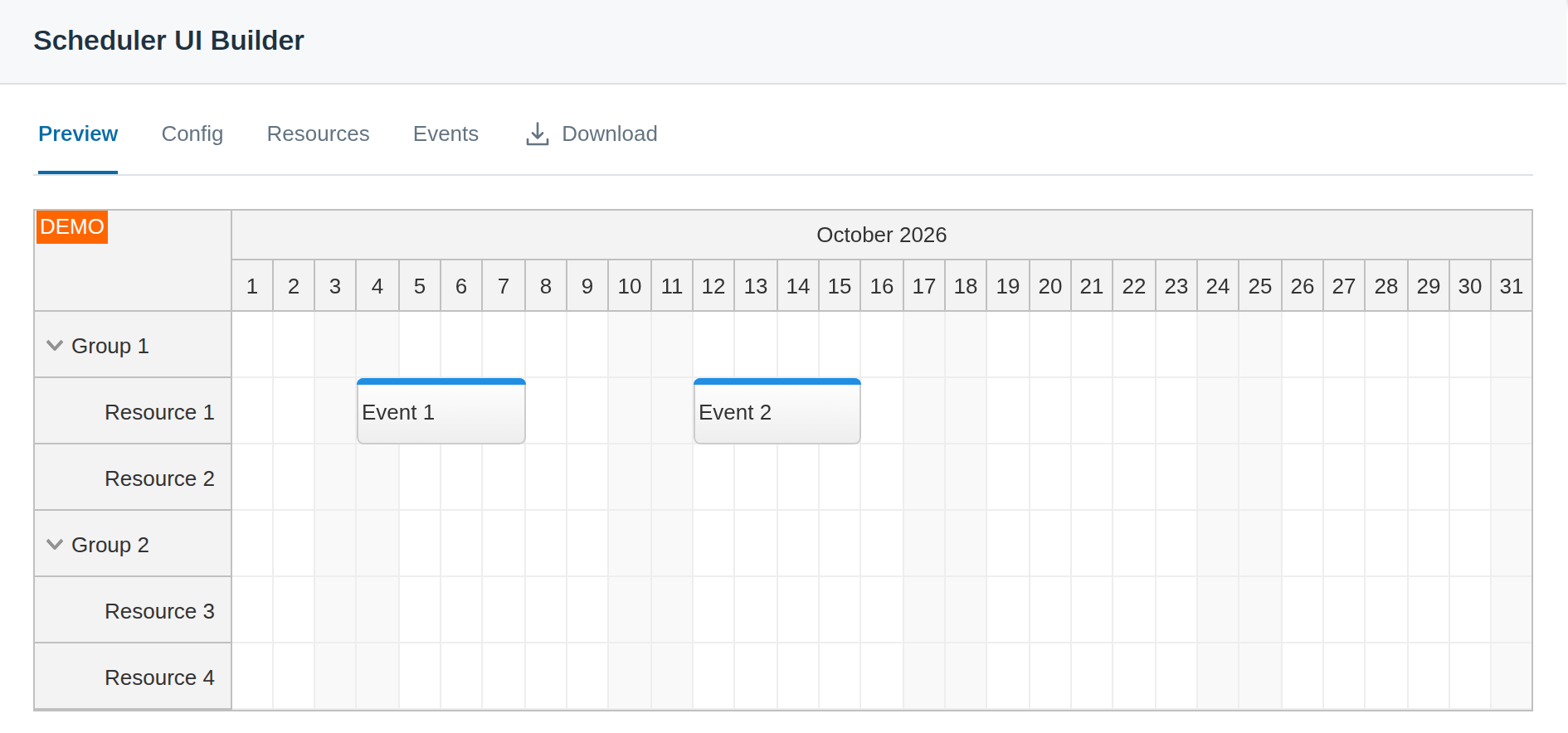
The Scheduler UI Builder provides a live preview of resource rows, time headers, scale, and interaction settings. It downloads a runnable starter with the configuration already prepared, rather than leaving the result as an isolated visual mockup.
Generated projects support JavaScript, TypeScript, Angular, React, Vue, and Next.js. The downloaded configuration remains editable in your own code, so visual setup can be the starting point for the application's later development.
For development with a coding assistant, the DayPilot MCP server provides official documentation and API lookup, package selection, CSS theme generation and UI Builder starter projects.
Match the Application's Appearance Quickly
The Theme Designer adjusts colors, fonts, dimensions, and other theme settings against a live Scheduler preview. It generates a CSS theme that can be kept with the project. Supplied themes and direct CSS customization provide alternatives when a complete visual redesign is unnecessary.
The Scheduler themes overview covers default, supplied, and custom styling. Appearance can develop alongside the prototype without replacing its events, resources, or application callbacks.
Start from a Downloadable Project
Sample applications save time when the prototype needs more than a standalone board:
- The JavaScript quick-start project combines a Lite Scheduler frontend with a PHP backend and room-booking data.
- The HTML5 Scheduler tutorial includes Pro resource groups, editing, and a PHP database backend.
- The dynamic event-loading sample demonstrates fetching bookings as users navigate.
Each includes source code for download. Existing framework applications can use the Angular, React, or Vue starter and integration guidance. Pro package URLs are available at npm.daypilot.org; the feature comparison helps select the edition for the prototype.