 DayPilot
The JavaScript Scheduler supports localized date labels, regional week and clock conventions, custom text, and right-to-left layout. These settings let the planning board use the language and operating conventions of its users while keeping application content under the application's localization system.
Locales and Date Formatting
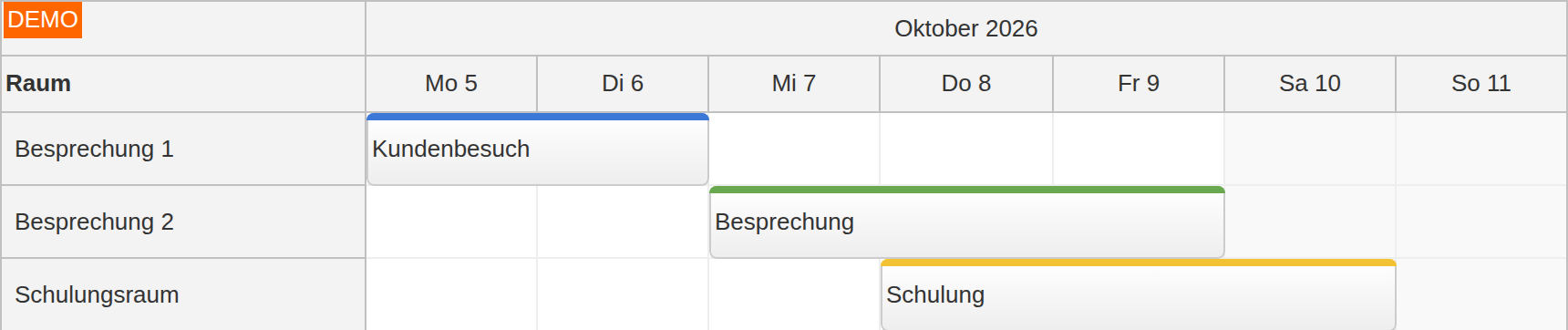
The locale setting supplies built-in date and time conventions, including month and weekday names. Bundled locales cover languages such as English, German, French, Spanish, Japanese, and Chinese; the documentation lists the available regional variants.
Applications can register a custom locale or adjust an existing one. Header formats can use localized names alongside explicit dates, so a month overview and an hourly dispatch board can present the level of detail each needs.
First Day of Week and 12/24-Hour Clock
The first day of the week can be chosen independently of the locale, including for weekly time-header grouping. The time format supports 12-hour and 24-hour clock labels.
For example, a multilingual operation can use German date labels while explicitly keeping Monday and a 24-hour clock:
const regionalOptions = {
  locale: "de-de",
  weekStarts: 1,
  timeFormat: "Clock24Hours"
};
Individual time-header formats and the date labels in timesheet row headers provide further control over presentation.
Translated Labels and Application Content
Configurable text, such as the loading label and custom header content, can use the application's translated messages. Resource names, event titles, menu actions, editor fields, and validation explanations are supplied by the application rather than translated automatically by a locale setting.
The same localization data can serve framework content inside the board, including React components, Vue slots, and Pro Angular templates. Built-in date formatting and application-provided translations can therefore work together without imposing a separate translation model on the rest of the application.
Right-to-Left Layout
DayPilot Pro supports right-to-left Scheduler layout, with RTL support also available for context menus and bubbles. Reading direction is configured separately from the locale, allowing the board and surrounding application controls to follow the same direction.
Display language and reading direction do not convert stored timestamps between time zones. The time-zone guide explains the separate time-interpretation model for applications used across regions.