 DayPilot
The scheduler supports drag and drop operations, such as event creating, moving, and resizing.
Drag and Drop Event Moving
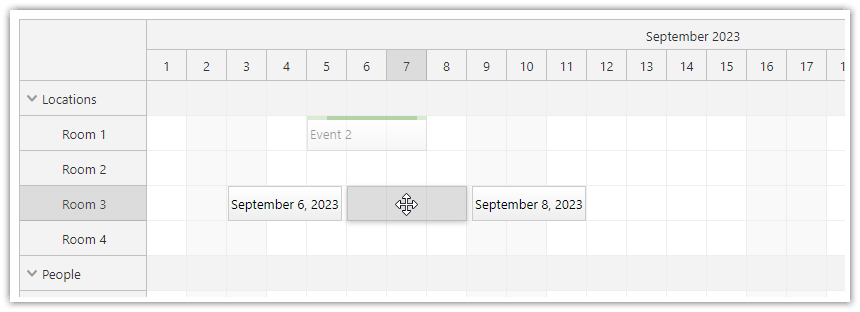
Drag and drop event moving is enabled by default (eventMoveHandling is set to "Update")
See also event moving [doc.daypilot.org].
{
  onEventMoved: async (args) => {
    const params = {
      id: args.e.data.id,
      start: args.newStart,
      end: args.newEnd,
      resource: args.newResource
    };

    const {data} = await DayPilot.Http.post(`/api/event/${params.id}`, params);
    // ...
  },
}
Drag and Drop Event Resizing
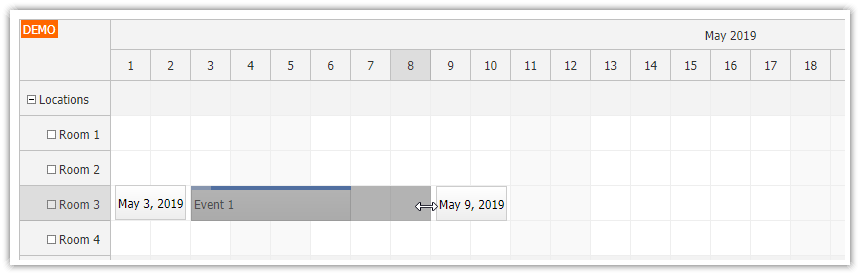
Drag and drop event resizing is enabled by default (.eventResizeHandling = "Update").
See also event resizing [doc.daypilot.org].
{
  onEventResized: async (args) => {
    const params = {
      id: args.e.data.id,
      start: args.newStart,
      end: args.newEnd
    };

    const {data} = await DayPilot.Http.post(`/api/event/${params.id}`, params);
    // ...
  },
}
Drag and Drop Event Creating
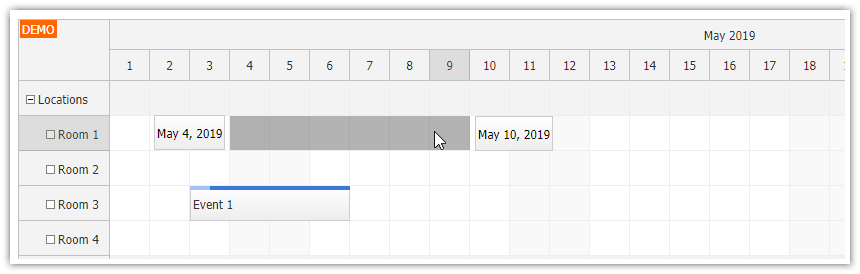
The users of the scheduler can select a time range using a mouse or touch. This action will fire the onTimeRangeSelected event - you can use it to create a new event and add it to the Scheduler.
See also Event creating.
{
  onTimeRangeSelected: async (args) {
    const modal = await DayPilot.Modal.prompt("New event name:", "Event");
    dp.clearSelection();
    if (modal.canceled) {
      return;
    }

    const params = {
      start: args.start,
      end: args.end,
      resource: args.resource
    };

    const {data} = await DayPilot.Http.put(`/api/event`, params);

    args.control.events.add({
      start: args.start,
      end: args.end,
      id: data.id,
      resource: args.resource,
      text: modal.result
    });
  },
};
AutoScroll during Event Moving
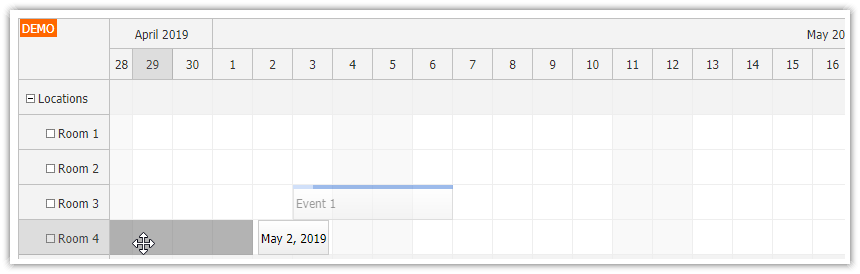
When the user reaches the viewport edge during drag and drop event moving, the Scheduler starts scrolling automatically.
See also AutoScroll [doc.daypilot.org].
Drag and Drop from an External List

The scheduler lets you drag external items (from a list of unscheduled events) to the grid.
See also external drag and drop [doc.daypilot.org].