 DayPilot
Release date: November 22, 2026
This release adds a resource tree to the open-source Scheduler, with nested groups, expand/collapse controls, and an option to reserve parent rows for group headings. New and updated demos show resource management and hierarchy customization. The release also fixes touch interactions, event text handling, date parsing, and other issues.
Features
Scheduler Resource Tree
The Scheduler now supports a resource tree with nested groups and expandable rows. You can organize rooms by building and floor, people by department, or equipment by location. Users can collapse a group to focus on the resources they need.
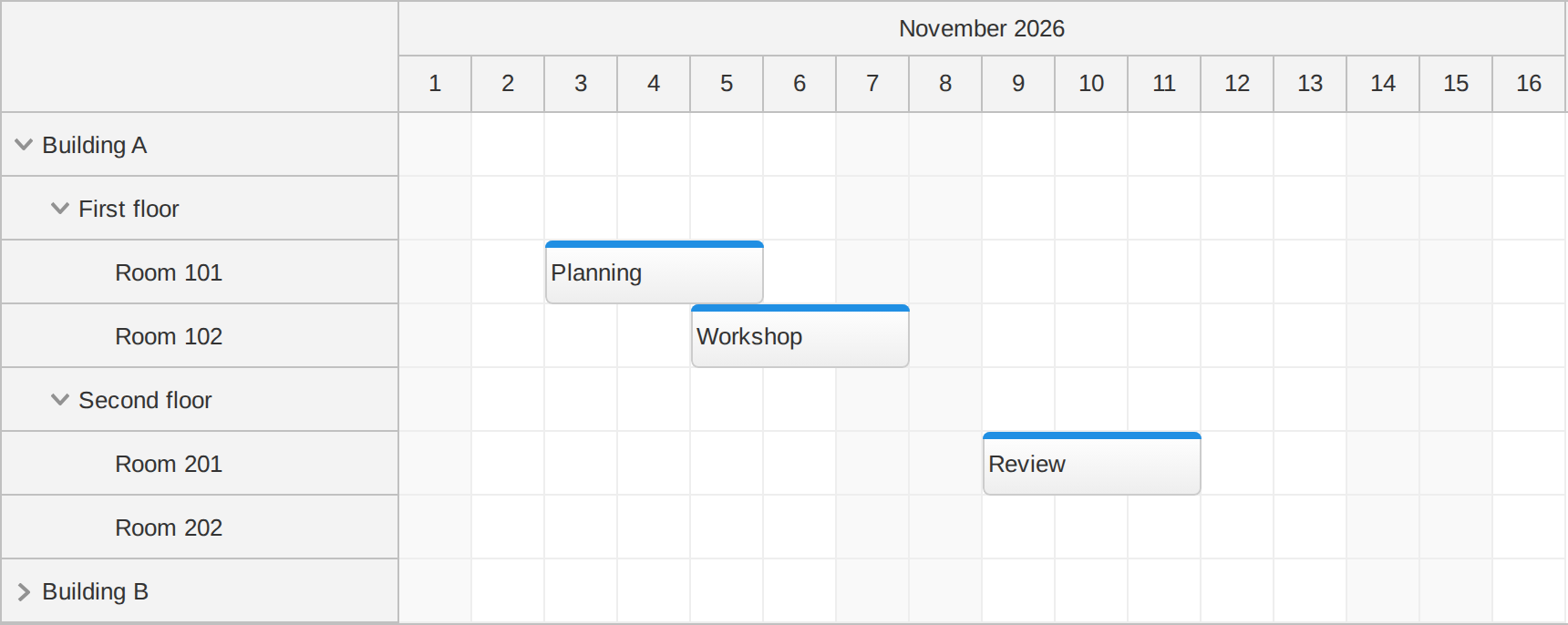
Enable treeEnabled and put child resources in each parent's children array. Set expanded: true on groups that should be open initially. Events continue to refer to the ID of their assigned resource:
const scheduler = new DayPilot.Scheduler("dp", {
  startDate: "2026-11-01",
  days: 30,
  scale: "Day",
  timeHeaders: [{groupBy: "Month"}, {groupBy: "Day", format: "d"}],
  treeEnabled: true,
  rowHeaderWidth: 200,
  resources: [
    {id: "building-a", name: "Building A", expanded: true, children: [
      {id: "room-101", name: "Room 101"},
      {id: "room-102", name: "Room 102"}
    ]}
  ],
  events: [
    {id: 1, resource: "room-101", text: "Planning",
      start: "2026-11-03", end: "2026-11-06"}
  ]
});
scheduler.init();
Users can expand and collapse groups using the arrows in the row headers. Applications can also call row.expand() and row.collapse() on a row returned by scheduler.rows.find(id), or use rows.expandAll() and rows.collapseAll() for the whole tree. Collapsing a group hides its descendants while keeping their resources and event data loaded.
Use row.parent() and row.children() to inspect the hierarchy. The onResourceExpand and onResourceCollapse callbacks notify your application after a row is expanded or collapsed.
Try the Resource Tree demo.
Improvements
Scheduler
- The Scheduler's new treePreventParentUsage option prevents time range selection and moving events onto parent resources when the resource tree is enabled. Set it to
trueto use parent rows as group headings and schedule bookings on child resources. The default isfalse; existing events on parent rows can still be resized. (2026.4.899) - New Resource Tree and Resource Management demos show nested resources, expand/collapse controls, and row-header actions for renaming or removing resources. The management demo also shows how an application can remove the associated bookings when deleting a group. (2026.4.899)
- The Progressive Row Rendering demo now includes team layouts, rich row headers, and interactive bookmarks, illustrating customization alongside the existing progressive rendering capability. (2026.4.899)
- The main Scheduler demo and theme demos now display resource hierarchies, showing how grouped resources work with the available themes. (2026.4.899)
General
- Updated note and toolbar styling gives the Lite demos a consistent presentation. (2026.4.899)
Fixes
Scheduler
- Fixed the missing
args.controlvalue in the Scheduler's onBeforeEventRender callback. It now supplies the current Scheduler instance, matching the TypeScript declaration. (2026.4.896) - Fixed errors and incorrect time range selections when rapidly tapping between Scheduler instances on touch devices. (2026.4.897)
Navigator
- Fixed undefined and duplicate CSS class names in Navigator cells customized using onBeforeCellRender. (2026.4.896)
General
- Fixed case-insensitive parsing of full and abbreviated month names in DayPilot.Date.parse(). (2026.4.896)
- Implemented the previously declared DayPilot.Duration methods that were missing at runtime: totalMilliseconds(),
add(), ofWeeks(), ofDays(), ofHours(), ofMinutes(), and ofSeconds(). (2026.4.896) - Fixed DayPilot.Event.text() interpreting text as HTML in Calendar, Month, and Scheduler. Values passed to the setter are now escaped and displayed as text. (2026.4.896)
- Fixed an asynchronous error when closing an iframe-based Modal immediately after calling showHtml(). (2026.4.896)