 DayPilot
Release date: October 22, 2026
This release adds matching dark themes across the scheduling controls and expands Angular and React customization. It also improves interactive Scheduler content and includes fixes for rendering, zoom levels, and Modal accessibility.
Features
Dark CSS Themes
New dark CSS themes are available for Scheduler, Calendar, Month, and Navigator. They provide a coordinated appearance for applications with a dark interface, including matching date navigation in the Calendar and Month demos.
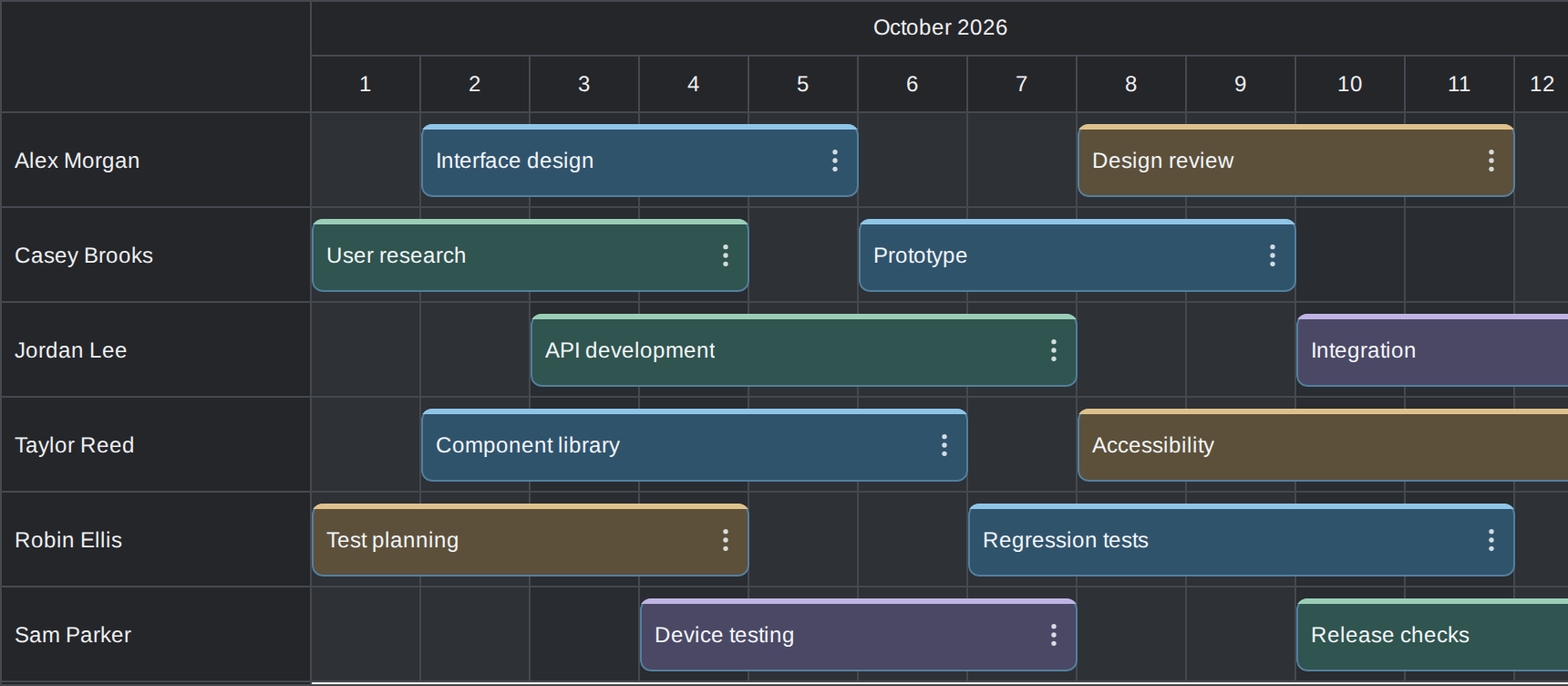
To apply a theme, include its CSS file and set the control's theme property. For example, use scheduler_dark.css with the Scheduler's theme set to "scheduler_dark":
<link rel="stylesheet" href="themes/scheduler_dark.css">
<script>
  scheduler.update({theme: "scheduler_dark"});
</script>
The corresponding files for the other controls are calendar_dark.css, month_dark.css, and navigator_dark.css. Use the matching theme name without the .css extension.
Try the interactive Scheduler, Calendar, and Month demos. They support creating, moving, resizing, editing, recoloring, and deleting events. Each demo also links to its saved theme in DayPilot Theme Designer so you can adapt the colors to your application.
See also: Scheduler CSS themes.
Typed Angular Templates
The Angular components now accept ng-template content through the daypilotTemplate directive. You can use Angular bindings, event handlers, and child components directly in the rendered content. Template contexts are typed for Angular's strict template checking.
The supported template slots are:
- Scheduler: events, cells, row headers, time headers, and the corner.
- Calendar: events and cells.
- Month: events and cells.
- Navigator: day cells.
In an existing Angular Scheduler component that imports DayPilotModule from @daypilot/daypilot-lite-angular, add an event template inside the control:
<daypilot-scheduler [config]="config">
  <ng-template
    daypilotTemplate="event"
    daypilotTemplateFor="scheduler"
    let-event="event">
    <strong>{{ event.text() }}</strong>
  </ng-template>
</daypilot-scheduler>
The daypilotTemplateFor qualifier selects the control-specific context. The existing configuration continues to define the Scheduler options and data; the template supplies the event content.
Interactive Content in Floating Scheduler Events
Floating event labels keep an event's content visible when its start scrolls out of view. The Scheduler now preserves custom DOM, React, Vue, and Angular content when the label moves between its normal and floating positions.
Buttons, inputs, and custom components keep their event handlers and local state during this transition. Applications can use interactive event content in long events without losing edits or resetting a component when scrolling horizontally.
This applies to content supplied through onBeforeEventDomAdd and the corresponding framework rendering hooks and templates. Existing floating-event configuration continues to apply.
Custom React Content in Month and Navigator
Month now supports React JSX in events and cells, and Navigator supports JSX in day cells. Assign a React element to args.element in onBeforeEventDomAdd or onBeforeCellDomAdd, as appropriate for the control.
This lets you reuse React components for event labels, date labels, and interactive content. Custom components can use local state and event handlers, and they are cleaned up when their rendered occurrence is removed.
import {DayPilotMonth, DayPilotNavigator}
  from "@daypilot/daypilot-lite-react";

export function CustomCalendar() {
  return <>
    <DayPilotMonth
      startDate="2026-10-01"
      events={[{
        id: 1,
        text: "Planning",
        start: "2026-10-05T10:00:00",
        end: "2026-10-05T12:00:00"
      }]}
      onBeforeEventDomAdd={args => {
        args.element = <strong>{args.e.text()}</strong>;
      }}
      onBeforeCellDomAdd={args => {
        args.element = <span>{args.cell.start.toString("d")}</span>;
      }}
    />
    <DayPilotNavigator
      onBeforeCellDomAdd={args => {
        args.element = <span>{args.cell.day.getDay()}</span>;
      }}
    />
  </>;
}
See the React Month and React Navigator integration guides.
Improvements
General
- Generated-theme demos now link directly to their saved settings in DayPilot Theme Designer, making it easier to customize the displayed theme. (2026.4.890)
- Modal dialogs accept an optional
ariaLabelvalue for a custom accessible name. (2026.4.893)
Fixes
Scheduler
- Fixed scrolling errors when progressiveRowRenderingPreload has a fractional value. (2026.4.889)
- Fixed custom row-header cleanup when the resource list is replaced with a shorter list. (2026.4.891)
- Custom corner content retains keyboard focus when the timeline is redrawn. (2026.4.893)
- The TypeScript declaration for rows.load() now makes the success and error callbacks optional. (2026.4.893)
- Fixed zoom.setActive() when selecting a zoom level by name. (2026.4.893)
- Fixed progressive event-cache cleanup when events render synchronously using an automatic or zero delay. The cache sweep also respects vertical rendering margins. (2026.4.893)
Calendar
- Fixed zoom.setActive() when selecting a zoom level by name. (2026.4.893)
General
- Closing a Modal dialog restores focus to its opener while preserving nested-dialog behavior and application focus overrides. (2026.4.889)
- Modal text-field labels are associated with their inputs, providing an accessible label and focusing the input when its label is clicked. (2026.4.889)
- Modal dialogs keep keyboard focus within the active dialog and make background content inert while open. Closing the dialog restores the previous background state, including when dialogs are nested. (2026.4.893)
- Fixed DatePicker initialization when it is bundled from separately property-mangled library resources. (2026.4.893)
- Modal dialogs expose dialog semantics and an accessible name to assistive technologies. (2026.4.893)
- Dependent Modal text fields retain edited values when they are disabled and enabled again. (2026.4.893)